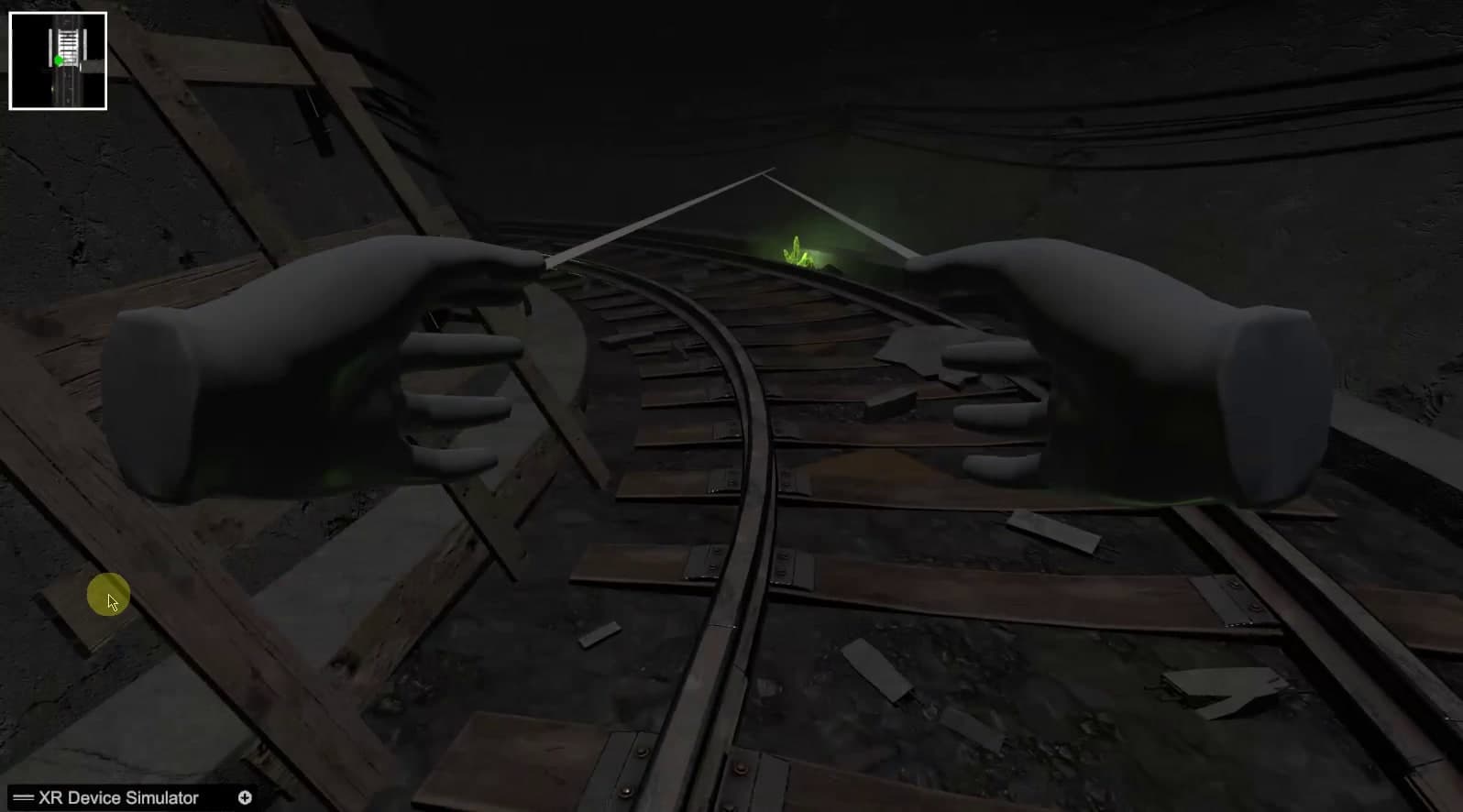
Latest build: the rail track curving past fallen timber towards a green glow
Our work

Immersive technology × psychological research

Beyond the Screen

Where research becomes an interactive experience.

  • Active development

  • Confidential client

At RenderCore Studios, game technology reaches further than entertainment. This ongoing, confidential VR project sits where immersive simulation, psychological research and human-centred interaction design meet.

Working alongside a university-affiliated PhD researcher in psychology, we are translating research-informed requirements into interactive virtual environments and a steadily evolving software prototype.

Category
Immersive Technology / Research & Development
Project type
Confidential client collaboration
Client
Confidential
Research collaboration
University-affiliated psychology research
Studio
RenderCore Studios
Core technology
Unity · C#
01

The research challenge

Where research meets real-time technology

Some questions in psychology are hard to study because the situations behind them are hard to stage.

A real-world setting is difficult to reproduce exactly, awkward to adjust in small steps, and slow to reset between sessions. A virtual environment changes that: the same space can be presented again and again, altered deliberately, and stopped at any moment.

That control is what makes immersive technology interesting to researchers — and what makes it demanding to build. The environment has to be convincing enough to matter, yet never careless about the person inside it.

  1. 01

    Believable, but bounded

    Spaces need enough presence to be taken seriously, without overwhelming the person experiencing them.

  2. 02

    Understandable interaction

    Someone new to VR should always know where they are, what they can do, and how to stop.

  3. 03

    Adjustable by design

    Scenarios have to be organised so they can be varied and repeated, not rebuilt each time.

  4. 04

    Two vocabularies

    Research objectives must become concrete software requirements — a translation that only works as a collaboration.

02

The objective

Building experiences with purpose

Our role is to turn research-informed requirements into real-time environments that can be explored, adjusted and refined.
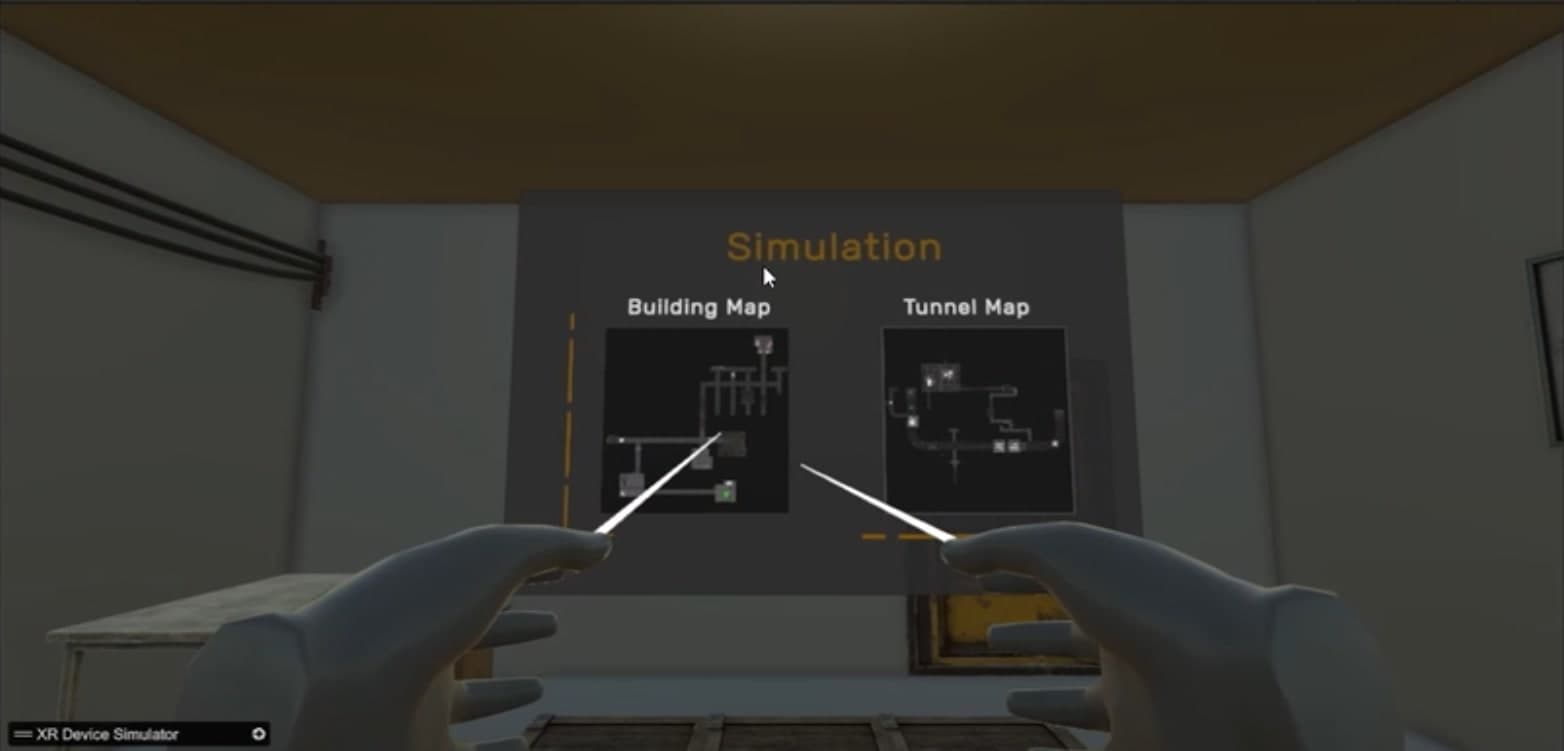
Early prototype: an environment selection panel showing a Building Map and a Tunnel Map
Environment selection in an early prototype: a building interior and a tunnel.
Immersive environmental design
Interiors, corridors and tunnels built to feel coherent and present.
Scenario development
Distinct virtual situations that can be entered, completed and repeated.
First-person VR interaction
Hand presence, pointing and selection that behave predictably.
Modular scenes
Environments assembled from reusable sections so they can change with the research.
Interface usability
In-world panels and controls that read clearly inside a headset.
Exploration & navigation
Movement and orientation that keep the user aware of where they are.

These are the project's objectives. The sections that follow show what has been built so far — and say plainly what has not.

03

Stage one

Where it began — early prototypes

The first builds were about proving the basic loop: enter the application, choose how and where to begin, move through a space, and finish cleanly.

Early development / prototype footage

Screenshots from early builds, captured in the Unity editor through an XR device simulator.

They are rough and unfinished by design — placeholder hands, simple menus, lighting still to be worked out — and they were the fastest way to put something tangible in front of the research side of the collaboration.
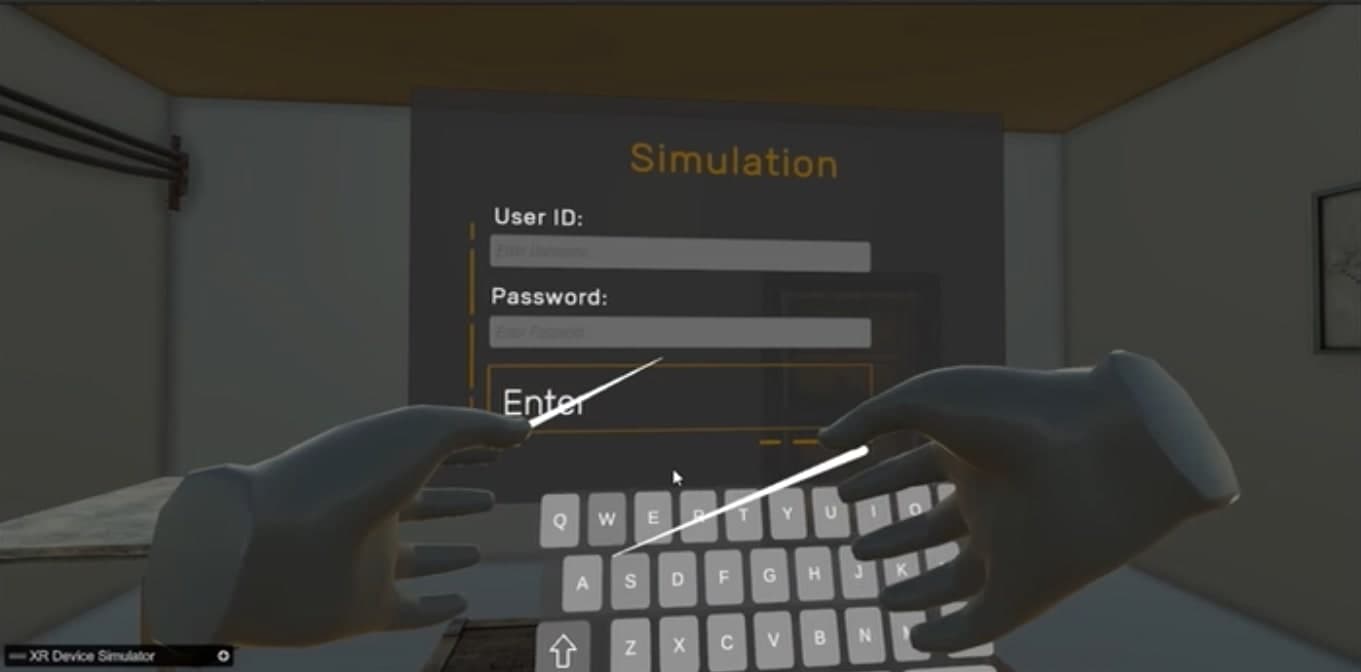
  1. Early prototype: an in-world sign-in panel with user ID and password fields and an on-screen keyboard, operated by two virtual hands

    Step 01

    Sign in

    A session begins at an in-world panel with an on-screen keyboard.
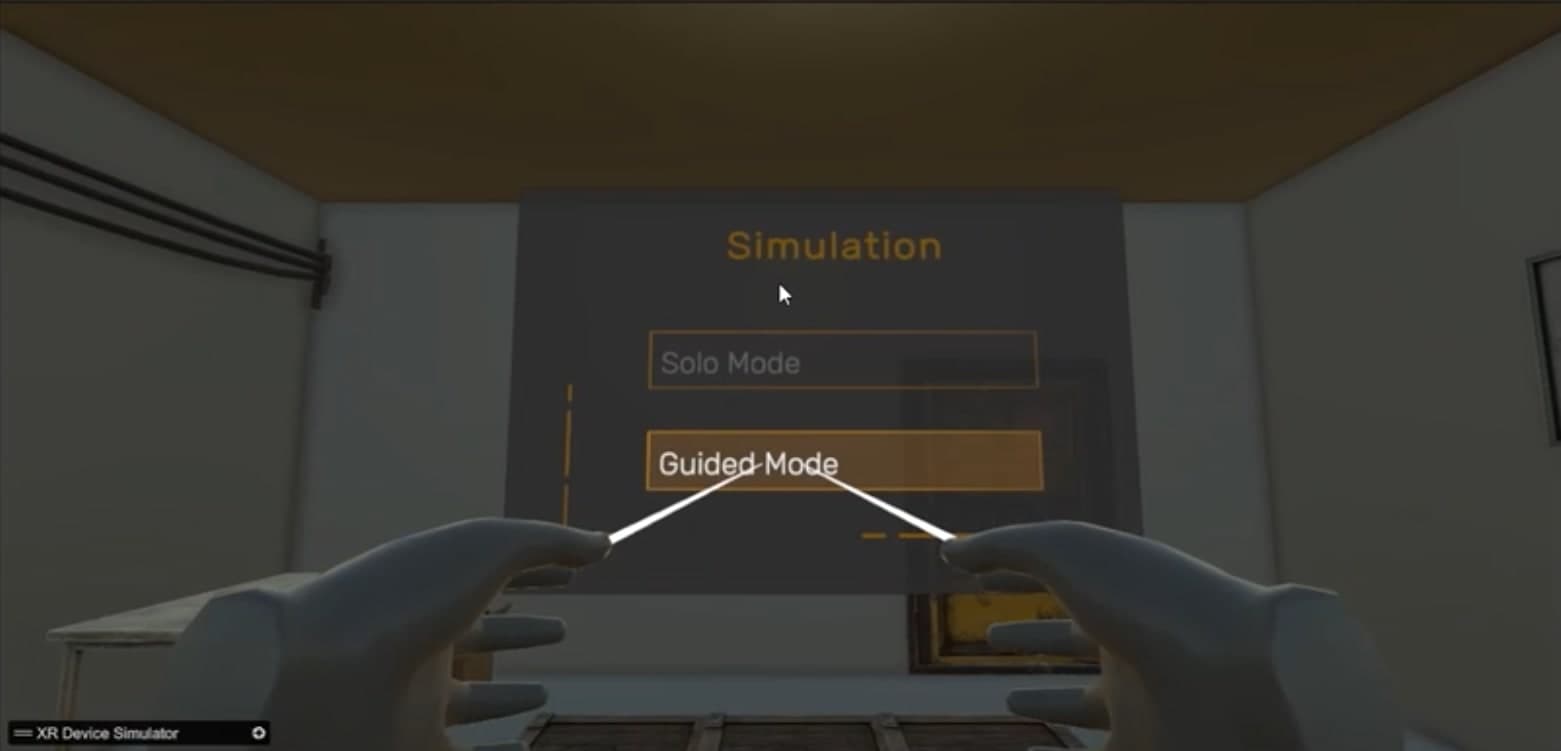
  2. Early prototype: a menu panel offering Solo Mode and Guided Mode, selected with ray pointers

    Step 02

    Choose a mode

    The menu offers a guided and a solo mode — the two ways the experience is intended to be used.

  3. Early prototype: an environment selection panel showing a Building Map and a Tunnel Map

    Step 03

    Choose an environment

    Two scenarios are available from the start: a building interior and a tunnel.
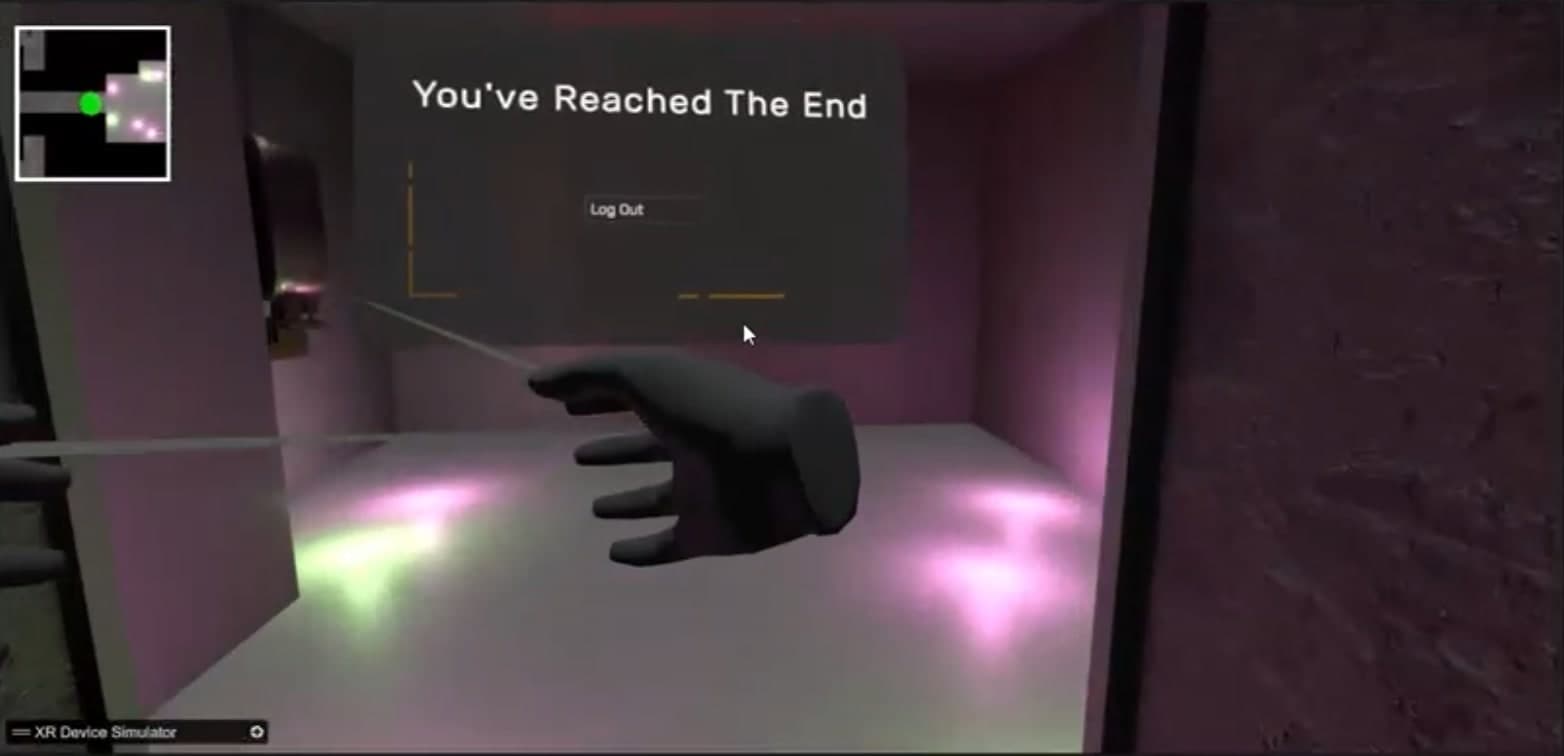
  4. Early prototype: a completion panel reading “You've Reached The End” with a log-out control and a minimap

    Step 04

    Reach the end

    A completion panel closes the session and offers sign-out.

First environments
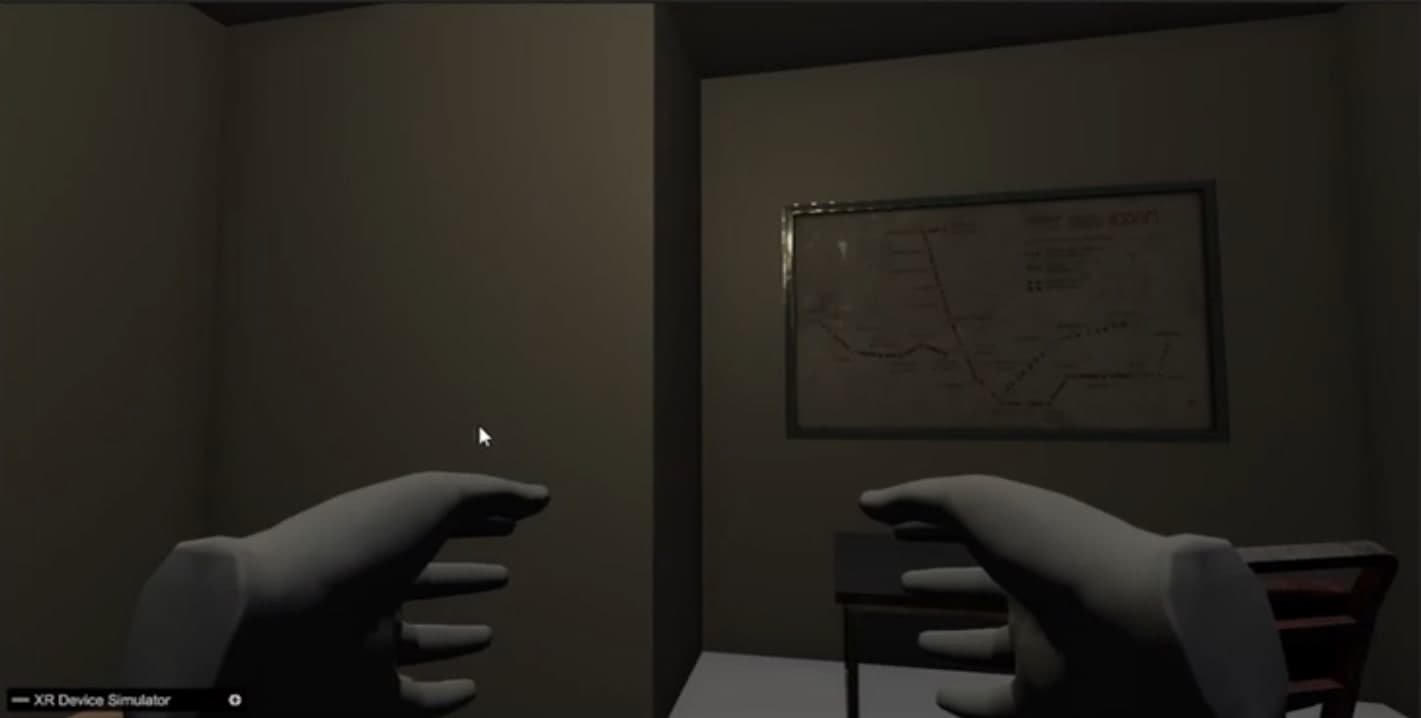
  • Early prototype: a plain interior room with a framed wall map, seen past two virtual hands
    An interior room with a wall map — one of the first furnished spaces.
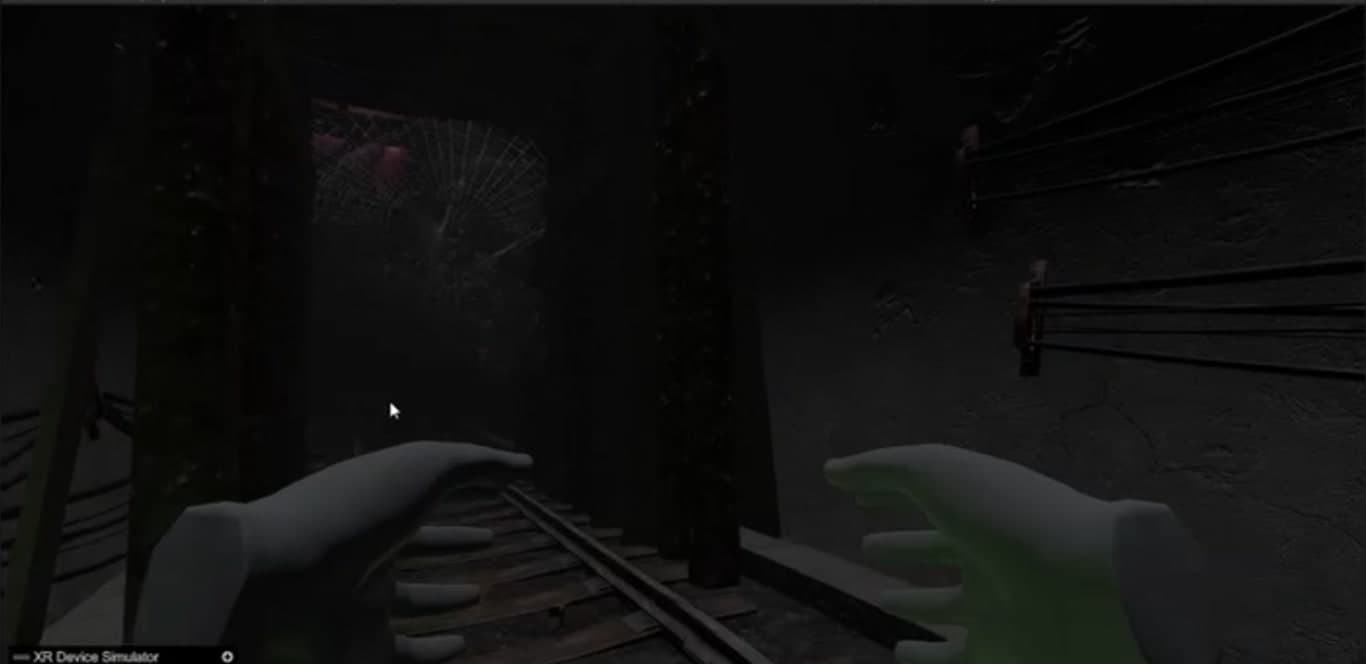
  • Early prototype: a dark rail tunnel with timber supports and a web across the path
    An early tunnel section: rails, supports and a web across the path.
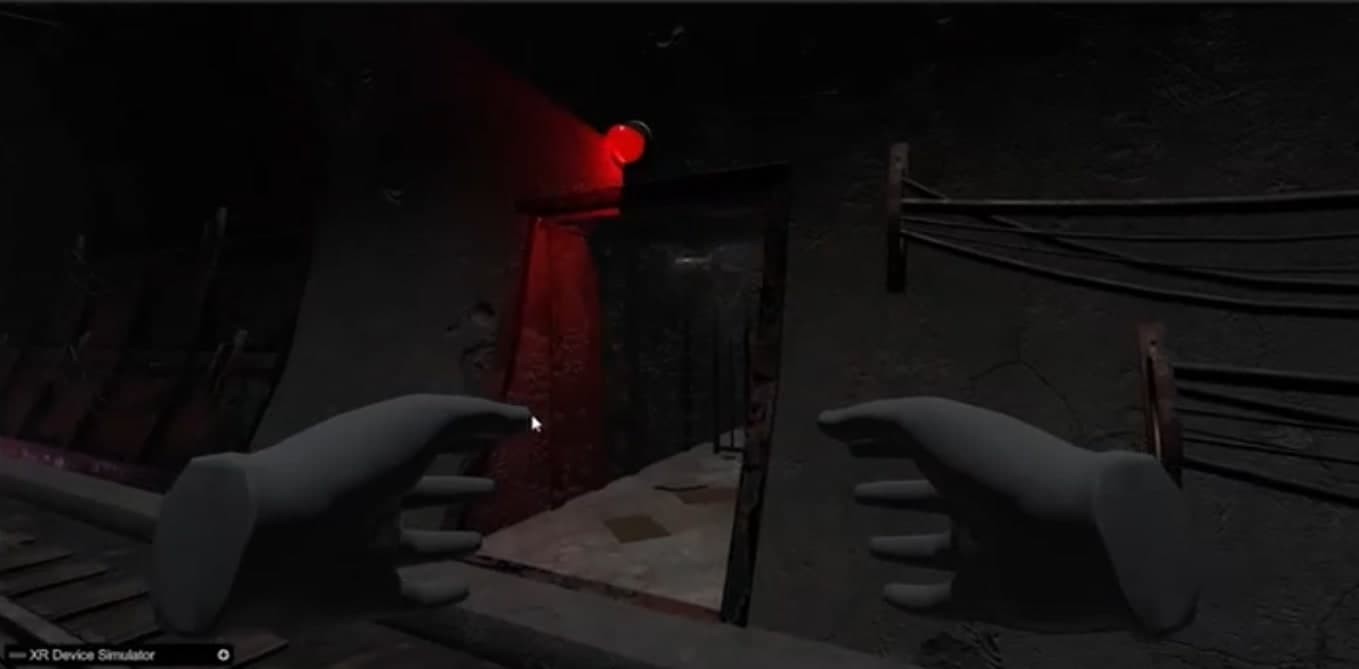
  • Early prototype: a doorway lit by a red lamp at the side of the tunnel
    A red-lit doorway at the side of the tunnel.
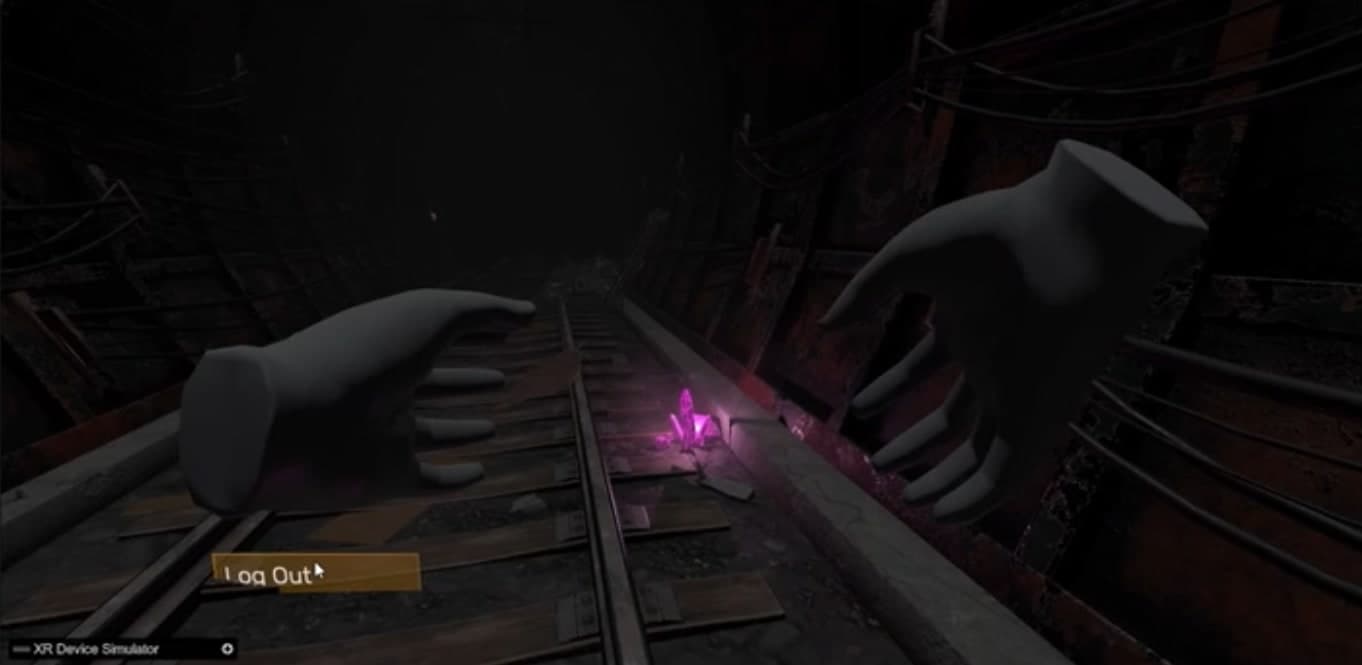
  • Early prototype: tunnel track with a glowing crystal marker and an in-world log-out control
    Tunnel track with a glowing marker and an in-world sign-out control.
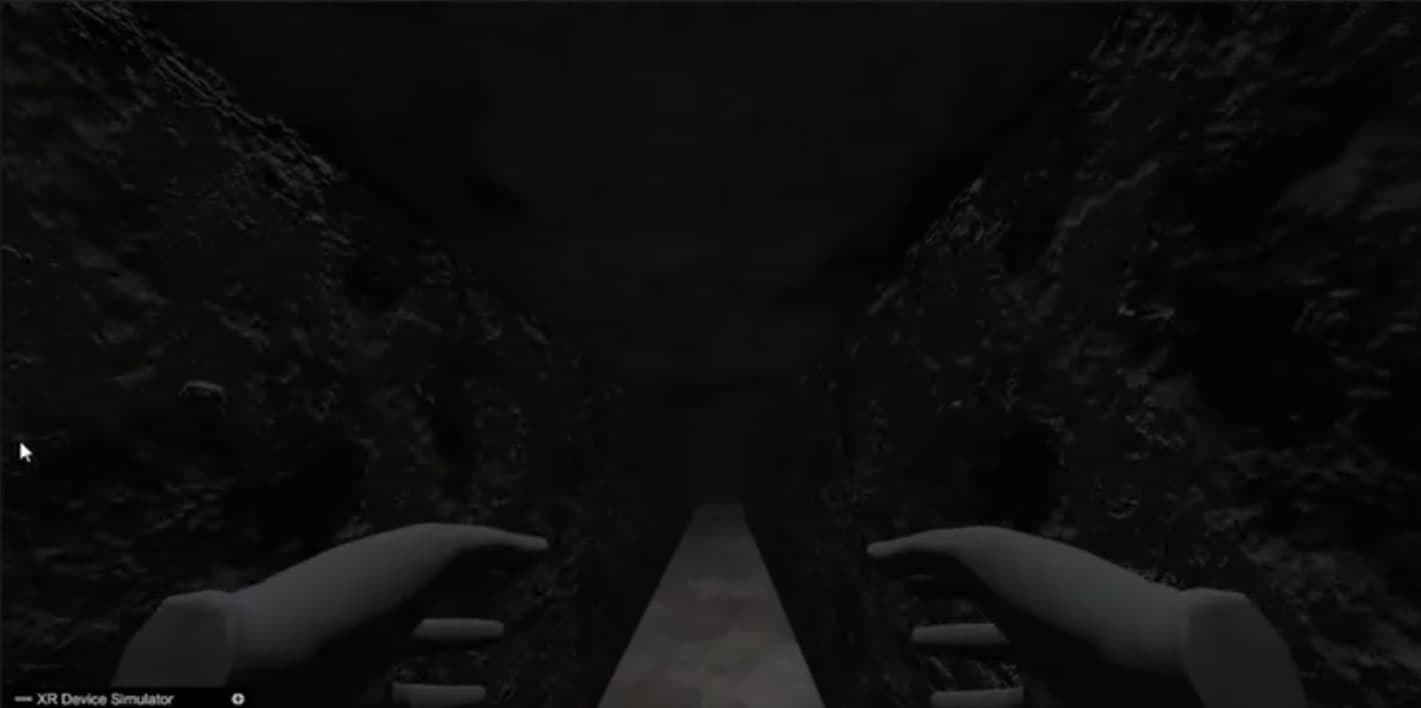
  • Early prototype: a narrow rock-walled passage
    A narrow rock-walled passage.
04

Technical work

Engineering the experience

The project is built in Unity and programmed in C#. The work divides into six areas.

01Unity development
Real-time scene creation, application structure, environmental systems, and interactive experiences.
02C# programming
Application logic, user interaction, system behaviour, and game-side programming.
03Virtual reality interaction
First-person presence, spatial input, interactive interfaces, and simulated hand interaction.
04Environment development
Construction and refinement of virtual interiors, passages, tunnels, and navigable 3D spaces.
05Research-driven iteration
Adapting interaction design decisions and development priorities to evolving research requirements.
06User experience considerations
Readable interfaces, understandable interactions, visual comfort, and predictable navigation.
05

Stage two

The experience today — latest development build

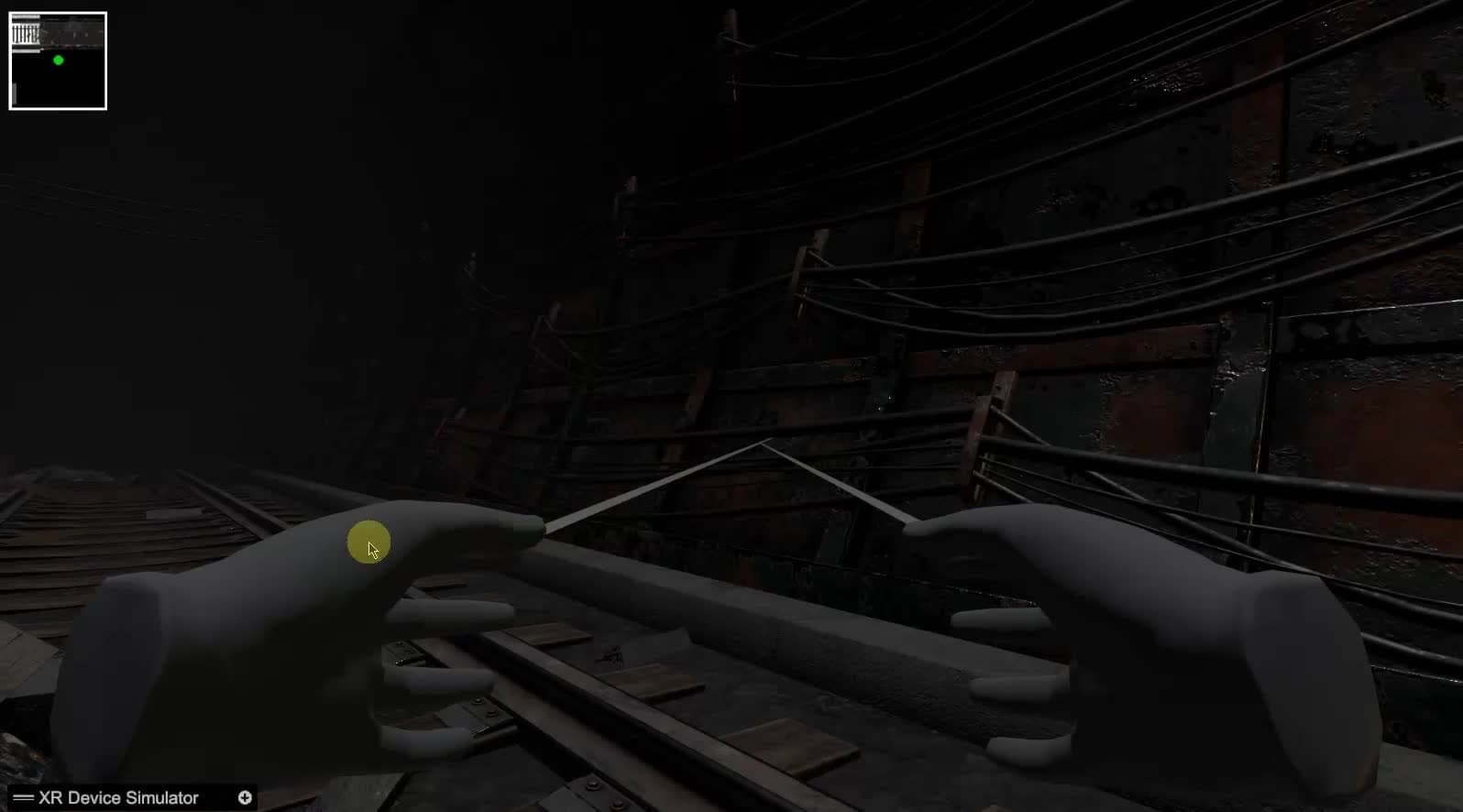
These recordings show the build as it stands: two scenarios navigated in first person with hand presence and ray pointers, a minimap for orientation, and environments that have gained structure, props and lighting cues.

Latest development build · Recorded October 2026

They are captured in the Unity editor through an XR device simulator — development footage, not a headset capture — and are shown without sound.

Rail tunnel — traversalLatest build

Moving along the rail tunnel past lighting cues, a web across the track and the first glowing markers.

4 recordings · 01 selected

06

Development journey

From experimentation to refinement

Between the first prototypes and the current build, the work has followed a plain loop: try an idea, put it in front of the people it is for, keep what holds up, and rework what does not.

The comparison here is deliberately modest. It shows the same kind of scenario — the rail tunnel — at two points in development. This page reports no performance figures and no research outcomes.

Early prototype: a dark rail tunnel with timber supports and a web across the path

Early prototype

Latest build: moving along the rail track through a cable-lined tunnel

Latest build

The rail tunnel scenario at two points in development.

Shown in footage

Visible in the screenshots and recordings on this page.

  • Sign-in panel with on-screen keyboard
  • Guided and solo mode selection
  • Two selectable environments
  • First-person movement with hand presence and ray pointers
  • Minimap
  • Completion and sign-out flow

In development

Being worked on; not yet shown as finished.

  • Environment refinement and lighting
  • Expanded interaction systems
  • More configurable scenarios
  • Usability and comfort
  • Session workflow

Research-stage directions

Described in the project's design material; not implemented claims.

  • Facilitator-side controls
  • Session monitoring
  • Physiological feedback
08

Collaboration

Designed at the intersection of two disciplines

Neither discipline could build this alone.

Psychological research informs

  • The purpose and structure of each immersive scenario
  • User-centred design considerations
  • What a controlled environmental experience needs to be
  • How sessions progress and are organised
  • Continued, research-informed refinement

Game-development engineering provides

  • 3D environments
  • Real-time rendering
  • Interactive systems
  • VR interfaces
  • Spatial navigation
  • Technical implementation and iteration

The research defines what an experience is for; the engineering works out how it can exist. Decisions travel in both directions.

09

Challenges & approach

Solving problems beyond the screen

The considerations that shape day-to-day development. These are ongoing work, not finished achievements.

  1. 01

    From objective to requirement

    A research aim is not a specification. Each one is worked through together until it can be expressed as something a scene, a control or a setting can do.

  2. 02

    Immersive, but legible

    Dark, enclosed spaces are easy to make disorienting by accident. Orientation aids such as the minimap and consistent lighting cues are being used to keep each space readable.

  3. 03

    First-person interaction

    Pointing, selecting and typing with virtual hands has to be predictable. The ray pointers and in-world panels in the footage are the current approach, and are still being tuned.

  4. 04

    Several scenarios, one application

    The building and tunnel scenarios share one entry flow and one interaction model, so further environments can be added without starting again.

  5. 05

    Modular structure

    Scenes are assembled from reusable sections so they can be rearranged as requirements change.

  6. 06

    Comfort and usability

    Movement, the readability of text and the ability to end a session cleanly are treated as requirements rather than polish.

10

What comes next

The journey continues

The project remains in active development. Work ahead may involve:

  • 01Further environment refinement
  • 02Expanded interaction systems
  • 03More configurable scenarios
  • 04Research-informed usability improvements
  • 05Continued development of session workflows
  • 06Exploration of additional monitoring or feedback integrations

No deployment schedule, commercial release or research findings are being announced.

This case study describes research software in active development. It is not a medical device or an established treatment, and no clinical outcomes are claimed. The client, the institution and the project's name are withheld by agreement.

Collaboration

Have a research-driven idea?

From immersive research environments to experimental interactive systems, RenderCore Studios works at the intersection of creative technology and practical development. If you're exploring how real-time game technology, virtual reality, or interactive simulation could support your next project, we'd be interested in the conversation.

Read view

RenderCore Studios / Case study

Beyond the Screen

Where psychological research meets immersive game development

Confidential collaborationActive development

01Project overview

Where research becomes an interactive experience.

At RenderCore Studios, game technology reaches further than entertainment. This ongoing, confidential VR project sits where immersive simulation, psychological research and human-centred interaction design meet.

Working alongside a university-affiliated PhD researcher in psychology, we are translating research-informed requirements into interactive virtual environments and a steadily evolving software prototype.

Category
Immersive Technology / Research & Development
Project type
Confidential client collaboration
Client
Confidential
Research collaboration
University-affiliated psychology research
Studio
RenderCore Studios
Core technology
Unity · C#
Latest build: the rail track curving past fallen timber towards a green glow
Latest development build · Recorded October 2026

02The research challenge

Where research meets real-time technology

Some questions in psychology are hard to study because the situations behind them are hard to stage.

A real-world setting is difficult to reproduce exactly, awkward to adjust in small steps, and slow to reset between sessions. A virtual environment changes that: the same space can be presented again and again, altered deliberately, and stopped at any moment.

That control is what makes immersive technology interesting to researchers — and what makes it demanding to build. The environment has to be convincing enough to matter, yet never careless about the person inside it.

  • Believable, but bounded. Spaces need enough presence to be taken seriously, without overwhelming the person experiencing them.
  • Understandable interaction. Someone new to VR should always know where they are, what they can do, and how to stop.
  • Adjustable by design. Scenarios have to be organised so they can be varied and repeated, not rebuilt each time.
  • Two vocabularies. Research objectives must become concrete software requirements — a translation that only works as a collaboration.

03Purpose and objectives

Building experiences with purpose

Our role is to turn research-informed requirements into real-time environments that can be explored, adjusted and refined.

  • Immersive environmental design. Interiors, corridors and tunnels built to feel coherent and present.
  • Scenario development. Distinct virtual situations that can be entered, completed and repeated.
  • First-person VR interaction. Hand presence, pointing and selection that behave predictably.
  • Modular scenes. Environments assembled from reusable sections so they can change with the research.
  • Interface usability. In-world panels and controls that read clearly inside a headset.
  • Exploration & navigation. Movement and orientation that keep the user aware of where they are.

These are the project's objectives. The sections that follow show what has been built so far — and say plainly what has not.

04A research-informed approach

Designed at the intersection of two disciplines

Neither discipline could build this alone.

Psychological research informs

  • The purpose and structure of each immersive scenario
  • User-centred design considerations
  • What a controlled environmental experience needs to be
  • How sessions progress and are organised
  • Continued, research-informed refinement

Game-development engineering provides

  • 3D environments
  • Real-time rendering
  • Interactive systems
  • VR interfaces
  • Spatial navigation
  • Technical implementation and iteration

The research defines what an experience is for; the engineering works out how it can exist. Decisions travel in both directions.

05Technical work

Engineering the experience

The project is built in Unity and programmed in C#. The work divides into six areas.

  • Unity development. Real-time scene creation, application structure, environmental systems, and interactive experiences.
  • C# programming. Application logic, user interaction, system behaviour, and game-side programming.
  • Virtual reality interaction. First-person presence, spatial input, interactive interfaces, and simulated hand interaction.
  • Environment development. Construction and refinement of virtual interiors, passages, tunnels, and navigable 3D spaces.
  • Research-driven iteration. Adapting interaction design decisions and development priorities to evolving research requirements.
  • User experience considerations. Readable interfaces, understandable interactions, visual comfort, and predictable navigation.

Confirmed core technology

  • Unity
  • C#

Visible in development footage

  • XR device simulator for desktop testing
  • Hand presence with ray-based pointing
  • In-world panels and on-screen keyboard
  • Minimap for orientation

Documented directions

  • Deployment to VR headsets through an open XR standard
  • Facilitator-side controls and session monitoring
  • Physiological feedback integration

Documented directions are part of the project's design material. They are listed for context and are not presented here as implemented.

06Stage one

Where it began — early prototypes

The first builds were about proving the basic loop: enter the application, choose how and where to begin, move through a space, and finish cleanly.

They are rough and unfinished by design — placeholder hands, simple menus, lighting still to be worked out — and they were the fastest way to put something tangible in front of the research side of the collaboration.

  1. Sign in. A session begins at an in-world panel with an on-screen keyboard.
  2. Choose a mode. The menu offers a guided and a solo mode — the two ways the experience is intended to be used.
  3. Choose an environment. Two scenarios are available from the start: a building interior and a tunnel.
  4. Reach the end. A completion panel closes the session and offers sign-out.

Screenshots from early builds, captured in the Unity editor through an XR device simulator.

07Stage two

The experience today — latest development build

These recordings show the build as it stands: two scenarios navigated in first person with hand presence and ray pointers, a minimap for orientation, and environments that have gained structure, props and lighting cues.

They are captured in the Unity editor through an XR device simulator — development footage, not a headset capture — and are shown without sound.

Shown in footage

  • Sign-in panel with on-screen keyboard
  • Guided and solo mode selection
  • Two selectable environments
  • First-person movement with hand presence and ray pointers
  • Minimap
  • Completion and sign-out flow

Visible in the screenshots and recordings on the page.

08Development journey

From experimentation to refinement

Between the first prototypes and the current build, the work has followed a plain loop: try an idea, put it in front of the people it is for, keep what holds up, and rework what does not.

The comparison here is deliberately modest. It shows the same kind of scenario — the rail tunnel — at two points in development. This page reports no performance figures and no research outcomes.

In development

  • Environment refinement and lighting
  • Expanded interaction systems
  • More configurable scenarios
  • Usability and comfort
  • Session workflow

Being worked on; not yet shown as finished.

Research-stage directions

  • Facilitator-side controls
  • Session monitoring
  • Physiological feedback

Described in the project's design material; not implemented claims.

09Challenges & approach

Solving problems beyond the screen

The considerations that shape day-to-day development. These are ongoing work, not finished achievements.

  • From objective to requirement. A research aim is not a specification. Each one is worked through together until it can be expressed as something a scene, a control or a setting can do.
  • Immersive, but legible. Dark, enclosed spaces are easy to make disorienting by accident. Orientation aids such as the minimap and consistent lighting cues are being used to keep each space readable.
  • First-person interaction. Pointing, selecting and typing with virtual hands has to be predictable. The ray pointers and in-world panels in the footage are the current approach, and are still being tuned.
  • Several scenarios, one application. The building and tunnel scenarios share one entry flow and one interaction model, so further environments can be added without starting again.
  • Modular structure. Scenes are assembled from reusable sections so they can be rearranged as requirements change.
  • Comfort and usability. Movement, the readability of text and the ability to end a session cleanly are treated as requirements rather than polish.

10What comes next

The journey continues

The project remains in active development. Work ahead may involve:

  • Further environment refinement
  • Expanded interaction systems
  • More configurable scenarios
  • Research-informed usability improvements
  • Continued development of session workflows
  • Exploration of additional monitoring or feedback integrations

No deployment schedule, commercial release or research findings are being announced.

11Status

Active development

This case study describes research software in active development. It is not a medical device or an established treatment, and no clinical outcomes are claimed. The client, the institution and the project's name are withheld by agreement.